Project
ProcSpy++
Inject a spy DLL into any Windows process and watch, or block, its API calls live: files, registry, network, clipboard, screenshots and more.
ProcSpy++ shows what a Windows program is actually doing. You inject a small spy DLL into a running process, and every API call you choose to track shows up in a live log. No source code and no debugger needed. I wanted something like Process Monitor that I could also use to stop a call, not just watch it.
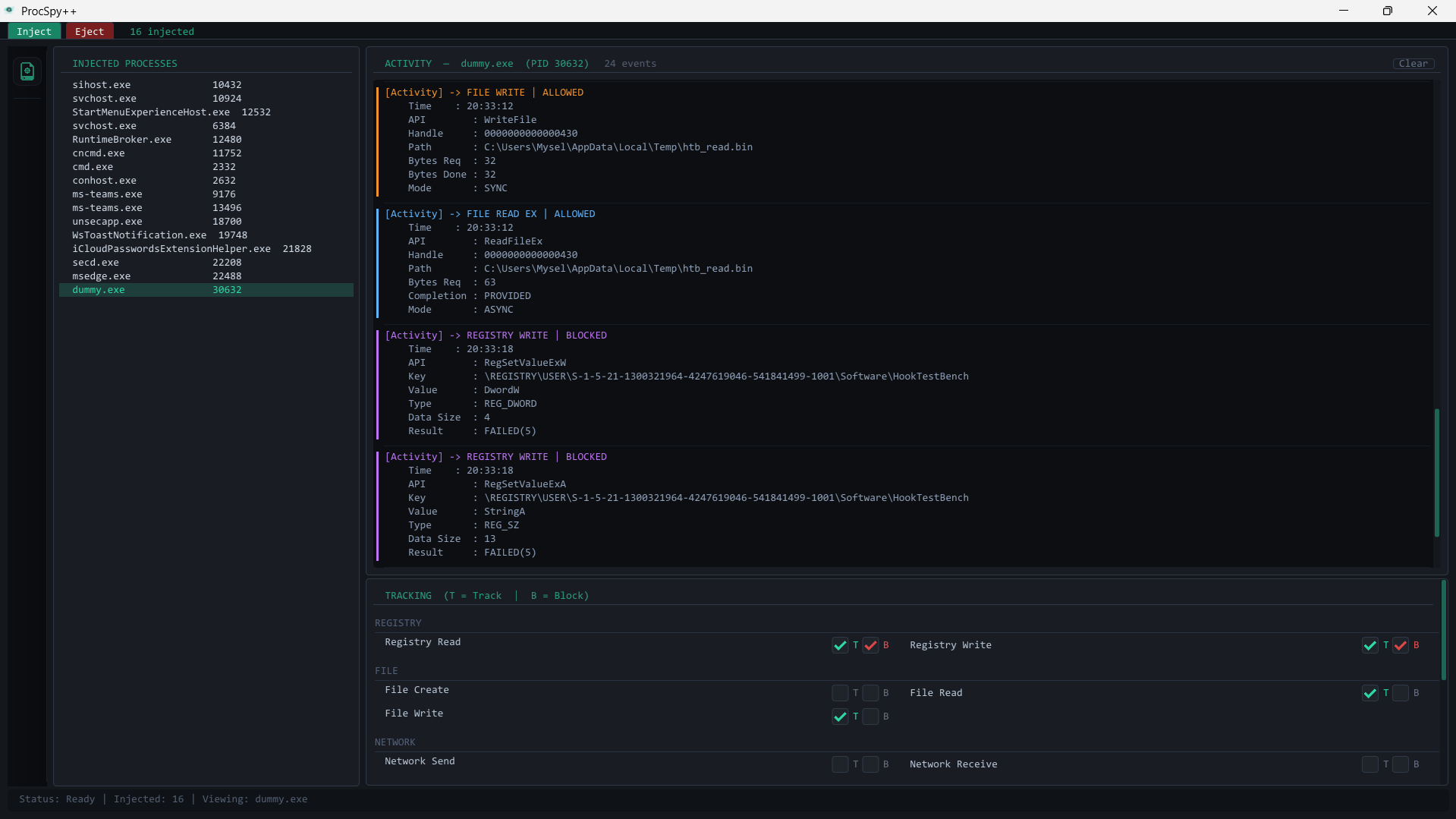
What it can track and block
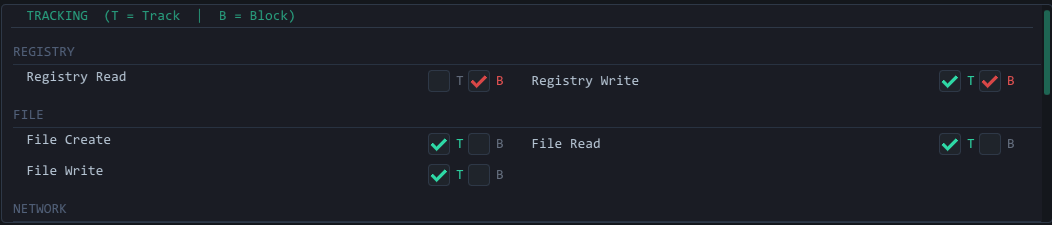
Every item below has two checkboxes: T logs the call, B makes it fail silently.
- File: create, read, write
- Registry: read, write
- Network: send, receive
- Thread creation and DLL load events
- Clipboard: open, get, set
- Screenshots:
BitBltcapture attempts - Window and dialog creation

Nothing is logged until you tick at least one T box, so you choose exactly what to watch. A good first test is Notepad: track File Write, hit save, and you see the path, byte count and result of every write it makes.
Using it
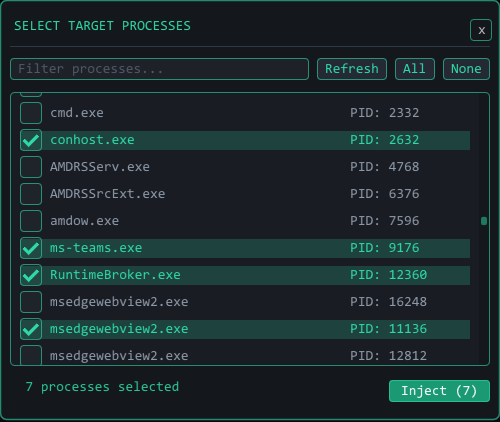
Press Inject and a process picker opens. Filter by name, tick the processes you want, and inject. Each one appears in the left panel.
Select a process and the tracking panel in the bottom right becomes active.
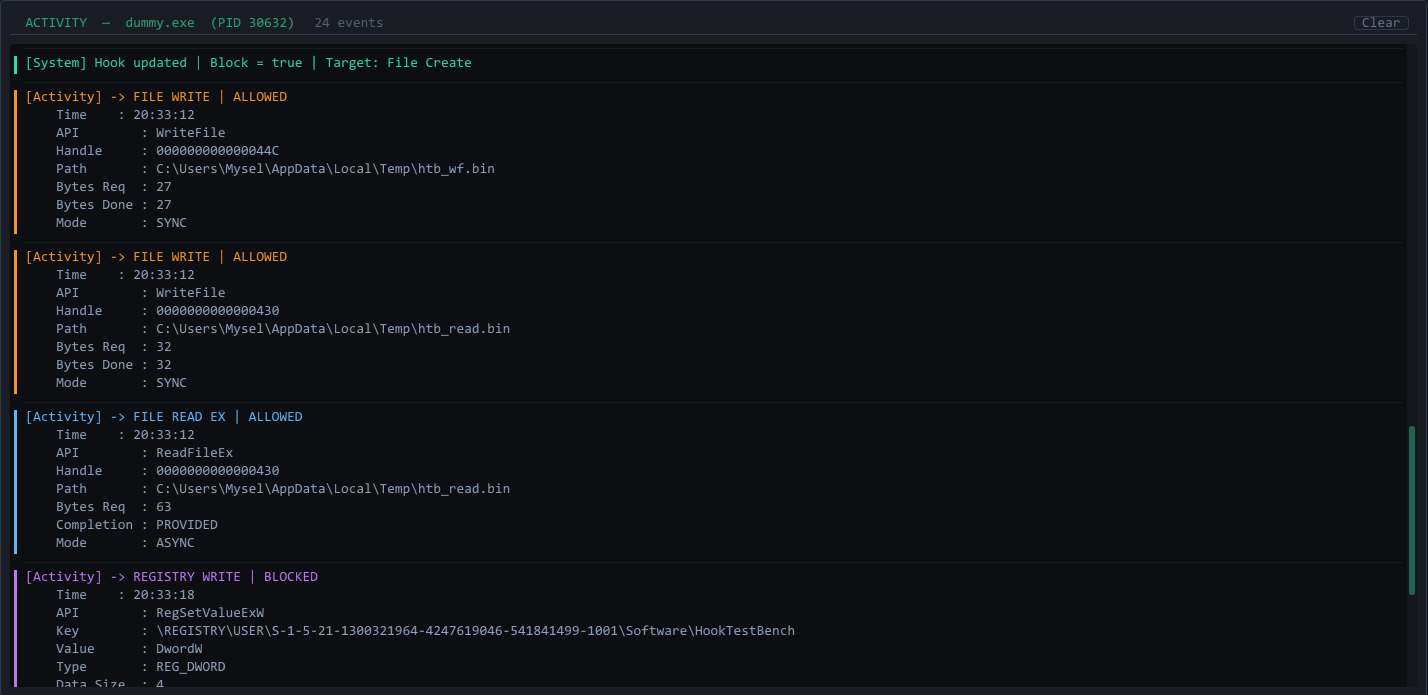
Events then fill the activity log as they happen, colour-coded by type: file writes are orange, network is cyan, registry is purple, screenshots are red.
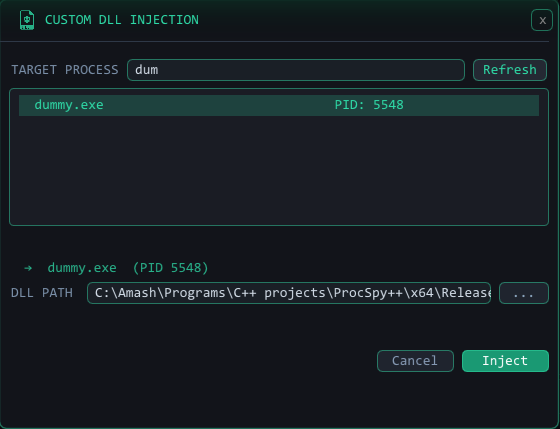
There is also a custom inject dialog that loads any .dll of your choosing
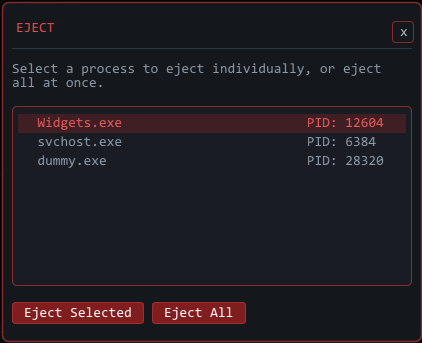
into a process, which is handy for testing your own payloads. Eject removes
the spy from one process or from all of them, and the DLL shuts itself down
cleanly before disconnecting.
How it works
It is really two programs: an injector with a GUI, and the DLL that runs inside the target.
Injection. The injector copies SpyDll.dll to a uniquely named temp file so
each process gets its own copy. It opens the target with OpenProcess,
allocates memory in it with VirtualAllocEx, writes the DLL path with
WriteProcessMemory, and calls CreateRemoteThread pointed at LoadLibraryA.
Some protected processes refuse remote threads, so there is a fallback that
queues LoadLibraryA onto an existing thread with QueueUserAPC.
Hooking. Once loaded, the DLL starts two threads. One installs the hooks with
MinHook, which overwrites the first bytes of real functions such as CreateFileW
with a jump to my code. The other connects to a named pipe
(\\.\pipe\messagePipeline_<PID>) and streams log lines to the GUI. A hook checks
the Block flag first. If the call is allowed it runs the original through a saved
trampoline, and if Track is on it formats a log line and queues it for the
messenger thread. Every hooked function covers both the ANSI and Unicode
variants.
Commands. Control goes back down the same pipe as plain text, such as
Track|File Write or Block|Registry Write, and the DLL flips the matching
flag.
GUI. Dear ImGui on OpenGL 3 with GLFW. Each frame it drains the pipes, appends to the per-process logs, drops processes whose pipe closed, and redraws.
Problems I ran into
The file hooks have to skip handles that belong to the pipe itself. The pipe is
read and written with ReadFile and WriteFile, so hooking those without the
check makes the logger log its own logging and deadlock.
Memory and heap hooks are in the code but turned off for a similar reason: building a log line allocates memory, which calls the hooked allocator again.
Notes
- Windows only. Tested on Windows 11 x64, and it works best when run as administrator.
- Antivirus will flag it, because injection looks the same as malware to a scanner. The pre-built exe can also crash on other machines because of DLL mismatches, so building it yourself in Visual Studio is the recommended route.
- Heavily protected processes, such as anti-cheat engines and some system processes, resist injection.
- Blocking calls can crash the target, so use it carefully.
- Meant for processes you own or have permission to inspect.